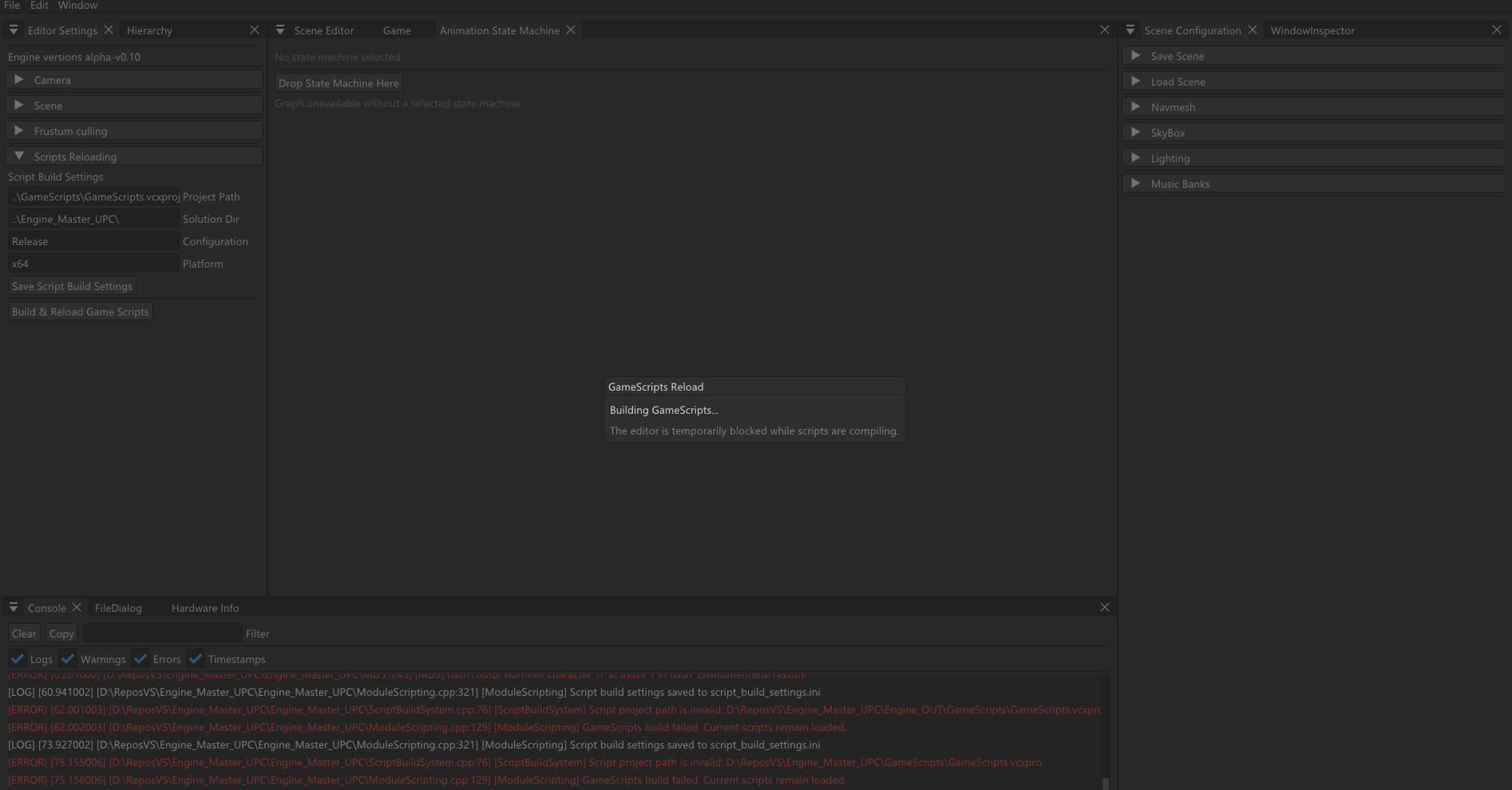
During gameplay development, iteration speed is very important and a lot of changes are made constantly to the scripts.
Before implementing script hot reloading, every change in the gameplay scripts required closing the engine, compiling the scripts project, opening the engine again, loading the scene and testing the change. This worked, but it made iteration slower than necessary.
The goal of this feature was to allow the editor to rebuild and reload the gameplay scripts project while the engine remains open.
In practice, the workflow becomes:
- Modify gameplay script
- Build & Reload Game Scripts
- Continue working in the editor
This post explains the first implementation of scripts hot reloading in our engine, the general reload flow, and the main things that needed to work together to make it reliable.
Separating the engine from the gameplay scripts
The base requirement for this system is that gameplay scripts are compiled separately from the engine.
In our case, the engine runs as the main executable: **Engine.exe **
While Gameplay scripts are compiled into a dynamic library: **GameScripts.dll **
The engine loads this script library at runtime. This separation makes the hot reload system possible because the editor can remain alive while the gameplay scripts library is rebuilt and loaded again.
When hot reloading, the engine does not restart. Instead, it unloads the current script library and loads a new one after the build has finished.
This keeps the engine process alive and avoids restarting the editor for every script change.
The hot reload flow
The hot reload process is managed by the scripting module. The module is responsible for coordinating the build, the DLL reload and the restoration of the script state.
The complete flow is:
- Save the current script field values.
- Destroy the current script instances.
- Unload the currently loaded script DLL.
- Build the GameScripts project.
- Copy the new DLL and PDB into versioned runtime files.
- Load the new runtime DLL.
- Recreate the script instances.
- Restore the saved script field values.
- Fix scene references.
Each step is important. The script instances need to be destroyed before unloading the DLL because their code belongs to the old library. After the new library is loaded, new script instances can be created from the updated code.
One important detail is that the engine does not load GameScripts.dll directly. Instead, it copies the built DLL into a versioned runtime file and loads that copy.
GameScripts.dll ——> GS_00000001.dll
GameScripts.pdb ——> GS_00000001.pdb
This is needed because a DLL loaded by the process cannot be overwritten directly. By loading versioned runtime copies, the build system can continue generating the normal GameScripts.dll, while the engine loads a separate runtime version.
Building GameScripts from inside the editor
To make the workflow usable, the editor needs to be able to start the scripts build by itself.
The build is launched through MSBuild using the script project path, configuration and platform selected in the editor settings.
The editor stores the build settings needed to compile the scripts project.
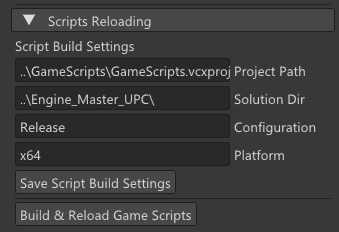
This makes the system configurable instead of hardcoding local paths directly into the code.
A very important part of the implementation is that the build launched by the editor must match the build launched from Visual Studio. Both should use the same configuration, platform, output directory and intermediate directory.
If the editor build and the Visual Studio build do not match, the project may behave as if it is being built from a different place which can make builds slower and create duplicated intermediate folders.
Preserving script data after reload
Reloading the scripts DLL means that all script instances must be recreated. However, the values assigned in the inspector should not be lost.
Before unloading the DLL, the scripting module saves the exported fields of each script. After the new DLL is loaded and the script instances are recreated, those fields are restored.
Before reload:
Script instance ——> serialize exported fields
After reload:
New script instance ——> deserialize exported fields
This allows the editor to preserve the data that was already configured in the scene.
Component references need an extra step. Raw pointers cannot be safely stored and restored across reloads, so references are stored using IDs. After the new script instances are created, the scene reference resolver maps those IDs back to the current components in the scene.
Important implementation considerations
Beyond the basic reload flow, there were a few safety and usability details that were important for making the system reliable.
The first one was how to handle the build process. Building the scripts project can take some time, so the build is launched asynchronously instead of running directly inside the editor update loop.
#include <future>

m_scriptReloadState = ScriptReloadState::Building;

m_scriptBuildFuture = std::async(std::launch::async, [this, buildSettings]()
{
       return m_scriptBuildSystem.build(buildSettings);
});
While the build is running, the editor shows a modal window with the current reload state. This makes the process clear for the user and prevents triggering another reload while the current one is still active.
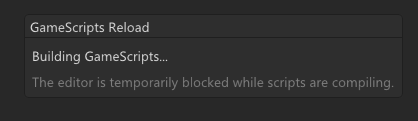
However, the actual DLL reload and scene restoration happen on the main thread. These steps touch engine state, scene objects and script components, so keeping them on the main thread avoids introducing unnecessary threading problems.
Another important detail is what happens if the build fails. If the scripts project fails to compile, the currently loaded DLL remains active. This means a compile error does not break the editor session. The previous working scripts continue to be loaded, and the user can fix the error and try again.
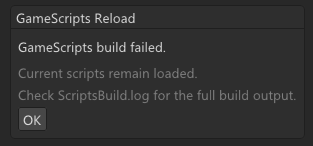
Finally, runtime DLL and PDB files are cleaned when possible so old reload files do not accumulate between sessions.
Final thoughts
Implementing this system took longer than I initially expected. Hot reloading may sound like simply unloading and loading a DLL, but in practice there are many details that need to work together, like the build configuration, runtime DLL copies, script state restoration, scene references and failure handling.
Even though it was challenging, I really enjoyed working on this feature. It helped me understand better how the engine, the build system and the scripting layer interact with each other, and it also made the gameplay iteration workflow much more comfortable.
Hopefully, this post can be useful for anyone trying to implement a similar system or understand the main things that need to be considered when adding script hot reloading to a custom engine.