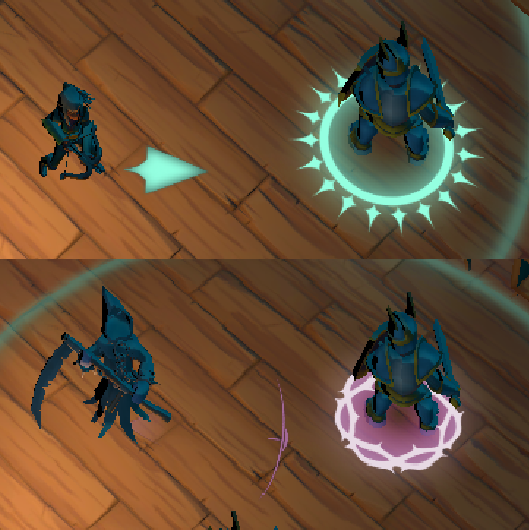
In our game, the players basic attacks are not manually aimed in the traditional sense. Instead, attacks are performed against the current selected target. This means that the player is not directly aiming the attack itself, but rather aiming toward the enemy they want to target so their basic attack does not miss. Because of that, the targeting system becomes an important part of how combat feels. If the player clearly aims toward another enemy, the selected target should react quickly. However, if several targets are close together, the selection should remain stable and avoid constantly switching between them. This post explains how that selection algorithm works and how those steps are combined to make targeting feel responsive without becoming unstable.
Finding valid targets
Before deciding which enemy should become the current target, the controller first builds a list of possible candidates. Not every enemy in the scene should be considered by the algorithm, a target is only valid if it is inside the determined target range and is still alive. The controller updates this list every frame by searching the scene for enemies and filtering them before adding them to the candidate list.
targetsInRange.clear();

for each enemy:
    if enemy is in range and alive:
        targetsInRange.push_back(enemy);
This keeps the selection algorithm focused only on enemies that are relevant at that moment. Dead enemies or enemies outside the targeting range are ignored before any scoring happens. At this point, the system does not know yet which enemy is the best one. It only knows which enemies are possible candidates.
Computing the aim direction
Once the controller has a list of valid enemies, the next step is to know where the player is aiming. The targeting system uses the right stick as the player’s intention. However, the right stick gives us a 2D input, while enemies exist in the 3D world. Because of that, the input needs to be converted into a world space direction. To make the direction match what the player sees on screen, the controller uses the camera orientation. It takes the camera forward and right vectors, flattens them on the horizontal plane, and combines them with the right stick input.
lookAxis = getLookAxis(playerIndex);

cameraForward = camera.forward;
cameraRight = camera.right;

cameraForward.y = 0.0f;
cameraRight.y = 0.0f;

aimDirection = -cameraRight * lookAxis.x - cameraForward * lookAxis.y;

normalize(aimDirection);
This gives the controller a direction in the world that represents where the player is trying to aim. If the stick is not being moved, the controller does not update the current target. This is important because the system should not change target randomly when the player is not giving any aiming input.
Filtering targets with an aim cone
After computing the aim direction, the controller still needs to decide which enemies are actually relevant. An enemy can be inside the target range but still be far away from where the player is aiming. In that case, selecting it would feel wrong, even if it is technically close enough to the player. To avoid this, the controller uses an aim cone. The aim direction defines the center of the cone, and only enemies inside that cone can be considered as possible targets, so basically, we are narrowing down even more the possibilities. For each enemy, the controller calculates the direction from the player to that enemy.
distanceToTarget = enemyPosition - playerPosition;
distanceToTarget.y = 0.0f;
normalize(distanceToTarget);
Then it compares that direction with the aim direction using a dot product.
dot = aimDirection.Dot(toTarget);
The dot product tells us how aligned both directions are. If the value is close to 1, the enemy is almost directly in the direction the player is aiming. If the value is lower, the enemy is more to the side. Enemies outside the cone are rejected before the scoring step.
halfConeAngle = targetConeAngle * 0.5f;
minDot = cos(halfConeAngle);

if (dot < minDot)
{
    reject enemy;
}
At this point, the algorithm has already removed enemies that are out of range, dead, or too far from the aim direction. The remaining enemies are the ones that make sense as possible targets.
""Scoring Targets""
After filtering enemies with the aim cone, there may still be more than one valid candidate. At this point, the controller needs to decide which enemy is the best target. Instead of simply selecting the closest enemy, each candidate receives a score. The enemy with the lowest score becomes the best candidate. The score is based on two factors:
- How aligned the enemy is with the aim direction
- How close the enemy is to the player
The alignment part comes from the dot product calculated before. Since a higher dot value means better alignment, we invert it to make lower scores better. The distance part is normalized using the target range.
distanceScore = distance / targetRange;
Then both values are combined using configurable weights.
score = angleScore * angleWeight + distanceScore * distanceWeight;
This allows us to decide how important each factor should be. In our case, the aim direction has more weight than the distance. This means that the system prefers the enemy the player is actually aiming at, even if another enemy is slightly closer. Distance is still useful, but mostly as a secondary factor. If two enemies are similarly aligned with the aim direction, the closer one will usually get a better score. This gives us a softer and more intentional selection than only choosing the nearest enemy.
Making target switching stable
The scoring system gives us the best candidate for the current frame, but changing the target immediately every time a slightly better score appears can feel unstable. This is especially noticeable when several enemies are close to each other. Small changes in stick direction, player position or enemy movement could make the selected target flicker between multiple enemies. To avoid this, the controller uses a switch margin.
if (candidateScore + switchMargin < currentScore)
{
    switch target;
}
This means that a new enemy must be clearly better than the current target before replacing it. If the score difference is very small, the system keeps the current target. This makes the targeting feel more stable because the current target has some resistance before being changed. The second improvement is a switch cooldown. After the system switches from one target to another, it waits a short amount of time before allowing another switch.
if (switchCooldownTimer > 0.0f)
{
    do not switch;
}
This prevents rapid target changes when the player is aiming between enemies or when multiple enemies are grouped together. Both rules are small, but they make a big difference in how the system feels. The algorithm still reacts quickly when the player clearly aims at another enemy, but it avoids constantly switching target because of tiny score differences.
Final result
The result is a targeting system that reacts to the player’s aim direction while still feeling controlled during combat. The most important part is not only which enemy the algorithm selects, but how the selection feels while playing. The target should change when the player clearly aims somewhere else, but it should not flicker between enemies because of small input or movement changes. The following video shows the system in action, and although you cannot feel it, at least you will be able to see how it looks.