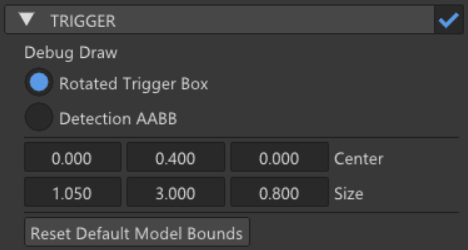
After working on gameplay features that needed area detection, we needed a simple way to detect when two objects overlap without implementing a full physics system.
The goal was to add a trigger-only system to the engine: something similar to Unity’s collider trigger callbacks, but adapted to our component and module architecture. This post explains the first implementation of TriggerComponent and ModuleTrigger.
Goal
The objective was to support box trigger volumes that can notify scripts when another trigger starts or stops overlapping.
The system needed to provide:
- A TriggerComponent that can be added to GameObjects
- Editable trigger bounds in the editor
- Debug visualization
- Runtime overlap detection
- Script callbacks through OnTriggerEnter and OnTriggerExit
For this first version, the system only supports box triggers but the bases are established to be able to add more shapes in the future if there is a need.
TriggerComponent
TriggerComponent stores the local data of the trigger volume:
- Center
- Size
- Shape
At the moment, the only available shape is Box.
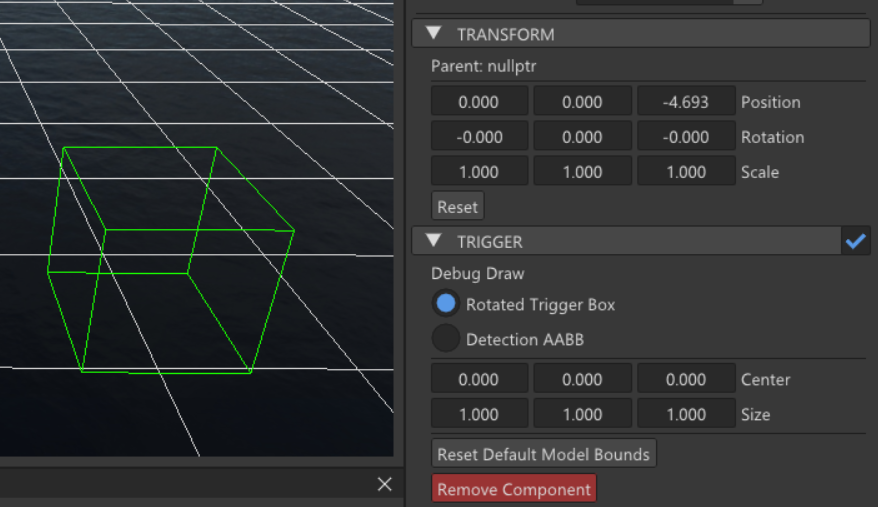
The component also calculates two different world-space boxes:
- An Oriented Bounding Box (OBB) used for debug visualization
- A detection Axis Aligned Bounding Box (AABB) used for the actual overlap checks
This keeps the first implementation simple while still making the debug view useful.
The script callbacks exposed by this system are the standard ones:
void OnTriggerEnter(GameObject* other) override;
void OnTriggerExit(GameObject* other) override;
Debug visualization
The editor allows switching between two debug views:
- Oriented Bounding Box (OBB)
- Detection Axis Aligned Bounding Box (AABB)
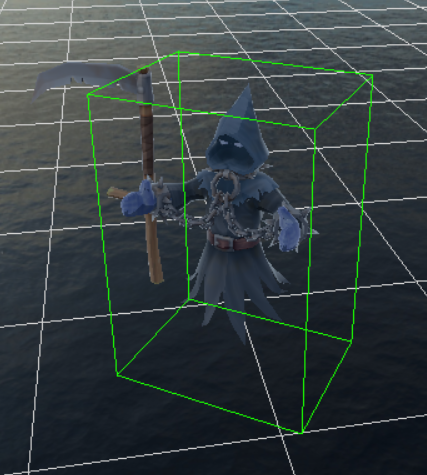
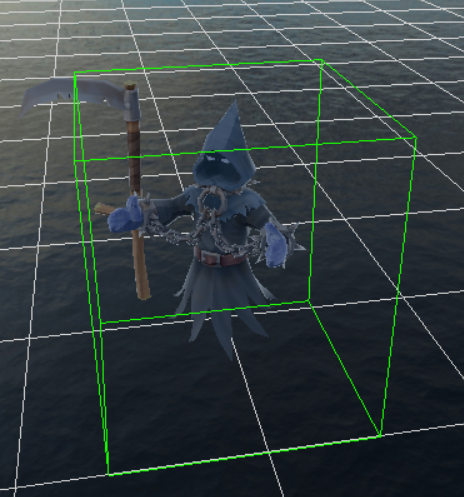
The OBB shows the conceptual trigger volume as it follows the GameObject transform.
The Detection AABB shows the actual box used by ModuleTrigger when checking overlaps. This is useful because the detection box can be larger than the rotated visual box when the object is rotated.
Default bounds from the model
When adding a new trigger to a GameObject, the component tries to initialize its bounds from the model hierarchy.
This means that if the mesh is not directly on the same GameObject, but instead exists in one of its children (which is very likely with our current gltf importing method), the trigger can still generate a useful default box.
The process is:
- Search the owner GameObject and its children.
- Find all MeshRenderer components.
- Convert each mesh bounding box into the trigger owner’s local space.
- Merge all bounds.
- Set the trigger Center and Size.
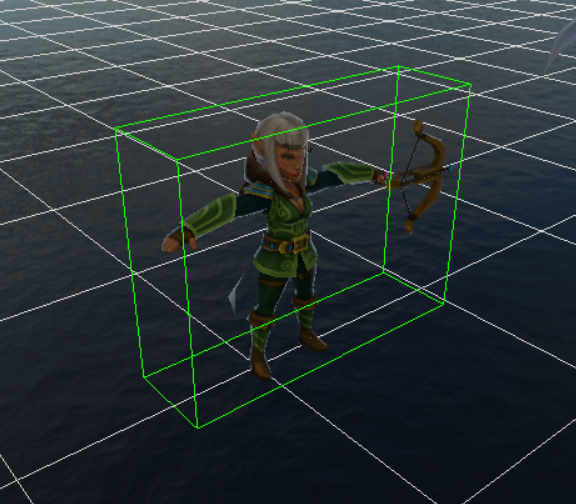
This gives designers and programmers a much better starting point than a default unit cube.
Module Trigger
ModuleTrigger is responsible for the runtime detection.
It keeps track of all registered TriggerComponents and, during Play mode, checks trigger vs trigger overlaps.
For now, overlap detection uses AABB checks. This is simpler and fast enough for the current use case. A more precise OBB check would be a better solution, but we won’t get ahead of ourselves and only implement it if we actually need it.
The module stores:
- Current frame overlaps.
- Previous frame overlaps.
By comparing both lists, it can detect when an overlap starts or ends.
Detecting Enter and Exit
Each overlap is stored as a pair of trigger IDs.
The IDs are stored in a consistent order so that TriggerA + TriggerB and TriggerB + TriggerA are treated as the same overlap.
This allows the module to detect transitions:
- If an overlap exists now but did not exist last frame → OnTriggerEnter
- If an overlap existed last frame but does not exist now → OnTriggerExit
Script callbacks
Once an Enter or Exit transition is detected, the event is sent to both GameObjects involved in the overlap.
This means:
- Object A receives Object B.
- Object B receives Object A.
Scripts can then decide what to do with the other object, usually by checking its tag, component, or gameplay role.
For example, a simple script can react to trigger events and decide what to do depending on the other GameObject:
void TriggerDebugScript::OnTriggerEnter(GameObject* other)
{
  if (other->GetTag() == Tag::PLAYER)
  {
    DEBUG_LOG("Player entered the trigger area");
  }
}

void TriggerDebugScript::OnTriggerExit(GameObject* other)
{
  if (other->GetTag() == Tag::PLAYER)
  {
    DEBUG_LOG("Player left the trigger area");
  }
}
This keeps the trigger system generic. The engine only reports that an overlap started or ended, and each script decides how to react depending on the object it received.